 Inter Mission
14 personlige Links
When upgrading or changing computers, it's helpful to be able to transfer your existing database to the new computer. The EasyWorship Profile Transfer Tool was designed to make this process easy. Most customers use a flash drive (memory stick/USB drive) to transfer their database, but you can use a network server or cloud drive like Dropbox, Google Drive or OneDrive to transfer the database files.


Har skrevet en kommentar under dette topic. Den indbyggede 'Check for Updates...' under Help fortæller at den installerede EW er 'Up to date'.
Selvom https://www.easyworship.com/software/whatsnew fortæller at der er en senere version.
Logger man på og downloader får man også tilbudt nyere version.
Modular Rigging System.

"Pass Me Not, O Gentle Savior" from our ongoing Endless Praise project. A fresh take on hymns and worship songs.
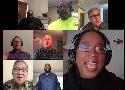
Enjoy this performance by the 2020 Virtual Choir singing "Credo," a dynamic rendition of the Apostles Creed often sung during worship on Heritage Sunday (May 23), Pentecost (May 23) or Trinity Sunday (May 30). The video is a collaboration between Discipleship Ministries and United Methodist Communications.

This tutorial will teach you how to create custom stinger transitions using the 100% free Davinci Resolve video editor. The lesson explains how to make a 2-second video with alpha transparency to work correctly with OBS Studio. Scott also explains how to add the video to a stinger transition in OBS.
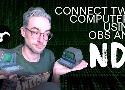
Here's how to connect two computers using OBS Studio, so you can play your game on one, and stream it on another, saving you precious CPU/GPU power.
The OBS Studio NDI Plugin.
I min Shaarli : How to use Phone as Webcam er der en gennemgang af dette stykke software.
Efter at have prøvet det af, vil jeg anbefale det udfra følgende fordele:
- Mobil telefoner har ofte bedre kamera end standard webkamera'er - og specielt de indbyggede på laptops.
- Mobilen har man som regel alligevel med sig, man behøver ikke et ekstra HD webkamera ved siden af.
- Mobilen kan benyttes trådløst (Hvis der er WiFi - eller kan etableres)
- På android er det også muligt at benytte USB kabel, der giver hurtigere forbindelse. Kræver dog USB-fejlretning slået til - hvilket kræver Indstillinger for udviklere aktiveret.
- Let at sætte op. Installer app på PC og mobilenhed. start apps og forbindelsen oprettes automagisk.
- Kan også benyttes som et supplement til andre kameraer. F.eks. er mobilt, at der kan aktiveres kamera lys.
Med Windows Kamera app, har man også benytte mobilen som inspektions kamera, der kan komme ind og se, steder hvor det ellers kan være svært at komme til.
In this step-by-step tutorial, learn how to use your iPhone or Android phone as a webcam for your Windows, Mac, or Linux PC or laptop.
You can even use your iPad.
For this to work, you need to install the Iriun app on your PC from www.iriun.com and on your mobile device via the App Store or the PlayStore by searching for Iriun.
On Android devices:
Iriun Webcam supports USB connections too. Connect the cable and follow instructions on mobile. (You need to enable USB debugging)
👍
OBS Studio Output in a Zoom Meeting
This video explains how to send OBS into a Zoom call, using NDI Tools. Lots of people these days want to "stream" their OBS output into a web call, so I show you step by step how to do that using OBS Studio and Zoom. There are TWO WAYS to do this, and I will explain both.
This video is a tutorial explaining how to set up an animated lower third in OBS Studio.
The tool used is called Animated Lower Thirds with Dockable Control Panel.
It provides the ability to activate and deactivate up to four lower third animations by using hotkeys in OBS. Scott takes you through the full installation process. He then provides a full demonstration and then explains all the parameters that control the software.

In this step-by-step tutorial, learn the top 20 best tips and tricks in Zoom Video Conferencing. For example, create your own custom virtual background, have your video appear over PowerPoint slides, use video filters and effects, spotlight your mouse cursor, and many more

In this step-by-step tutorial, learn about the top new features in Zoom Video Conferencing, including PowerPoint slide virtual background, Video Filters, Noise Suppression, end-to-end encryption, and much more.
My Top 5 OBS Plugins you need to have!
Take your transitions, visuals, and ease of your streams to the next level. I show you how to intall them and use them for your live streams.
Learn how to use OBS Studio. In this series of OBS tutorials I take you through the initial set up all the way through advanced features so you can make your live streams look awesome!

This is the Ultimate Beginners Guide for OBS Studio 2020. Learn everything about OBS Studio in just 30 minutes! This tutorial covers basic layout, building s...

In this step-by-step tutorial, learn what the various OBS record settings mean and what to select to ensure that you record the best quality videos.
In this step-by-step tutorial, learn how to record your computer screen for free using a free and open-source tool called OBS or Open Broadcaster Software.
Sysinternals ZoomIt kan benyttes i OBS Studio
Der er dog en lille irriterende bug, som Matt Pilz her har en workaround til.

Presentation utility for zooming and drawing on the screen.