 Inter Mission
14 personlige Links
Gratis, Open Source-software til videooptagelse og live streaming.
Hent og start streaming hurtigt og nemt på Windows, Mac eller Linux.
OBS (Open Broadcaster Software) is free and open source software for video recording and live streaming. Stream to Twitch, YouTube and many other providers or record your own videos with high quality H264


At ScreenPal, we don’t believe that video recording and editing should be difficult, or cost a fortune. Our simple and intuitive tools help you get the job done easily.
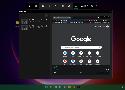
Grab a video screen capture with Windows
We'll show you how to record your screen in Windows 10 or Windows 11, using both the Xbox Game Bar and OBS.
In this step-by-step tutorial, learn how to record your computer screen for free using a free and open-source tool called OBS or Open Broadcaster Software.
Sysinternals ZoomIt kan benyttes i OBS Studio
Der er dog en lille irriterende bug, som Matt Pilz her har en workaround til.

In this step-by-step tutorial video, learn how to highlight your mouse cursor to make it easier for your audience to follow your mouse movements and clicks. The two options that I feature in this video are entirely free. Highlighting your mouse pointer is especially valuable during presentations, demos, remote teaching, and screen recording. Follow along to find out how to make this work on Windows 7, 8, and 10. At the end, I also show you how to turn on mouse highlighting within OBS or Open Broadcaster Software.
In this step-by-step tutorial video, learn how to zoom in and then zoom out on a certain area in your screen recording. This is especially helpful for instructional or tutorial videos. I personally use this in my tutorial videos on YouTube.
NB ! En anden mulighed: ZoomIt
Installer denne app fra Windows Sysinternals - og du kan zoome mens du optager skærmen - eller præsenterer skærmen.
Her er en instruktions video - på dansk!
Den fortæller om opsætning af OBS Studio til optagelse af skærm.
Videoen er produceret til Københavns Professionshøjskole hvor man benytter online video tjenesten DreamBroker.
Men med OBS Studio gemmes optagelsen på egen harddisk - og kan evt. redigeres inden offentliggørelse.
Hvordan man optager på sin PC - enten til gaming, video guides, eller andet, er noget som man 100% får brug for på ét eller andet tidspunkt, i sin karriere som YouTuber. Denne guide/tutorial er altså primært oprettet til folk der gerne vil lave YouTube videoer.
Vi benytter os af programmet, OBS Studios, som både findes til WINDOWS, LINUX OG iOS:
NerdOrDie welcomes:
Welcome to our OBS Studio tutorial series! In this series we're going to cover everything that you'll need to know to make your stream look great.