 Inter Mission
14 personlige Links
Få bedre videokonferencer med vores nye EOS Webcam Utility-software. Sådan installerer du Canon EOS Webcam Utility på Mac og Windows.
Der er også en mulighed for at benytte EOS WEBCAM UTILITY PRO Har dog (endnu) ikke fundet links til dette hos Canon Danmark.


I ended up spending 5 hrs and went through about 30 videos on how to make the Canon EOS 250D series into a working webcam to work with Streamlabs and OBS, to either film video footage or make into a live stream.
The big clue: EOS Rebel SL3 is (more or less) the same as EOS 250D
I min Shaarli : How to use Phone as Webcam er der en gennemgang af dette stykke software.
Efter at have prøvet det af, vil jeg anbefale det udfra følgende fordele:
- Mobil telefoner har ofte bedre kamera end standard webkamera'er - og specielt de indbyggede på laptops.
- Mobilen har man som regel alligevel med sig, man behøver ikke et ekstra HD webkamera ved siden af.
- Mobilen kan benyttes trådløst (Hvis der er WiFi - eller kan etableres)
- På android er det også muligt at benytte USB kabel, der giver hurtigere forbindelse. Kræver dog USB-fejlretning slået til - hvilket kræver Indstillinger for udviklere aktiveret.
- Let at sætte op. Installer app på PC og mobilenhed. start apps og forbindelsen oprettes automagisk.
- Kan også benyttes som et supplement til andre kameraer. F.eks. er mobilt, at der kan aktiveres kamera lys.
Med Windows Kamera app, har man også benytte mobilen som inspektions kamera, der kan komme ind og se, steder hvor det ellers kan være svært at komme til.
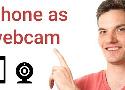
In this step-by-step tutorial, learn how to use your iPhone or Android phone as a webcam for your Windows, Mac, or Linux PC or laptop.
You can even use your iPad.
For this to work, you need to install the Iriun app on your PC from www.iriun.com and on your mobile device via the App Store or the PlayStore by searching for Iriun.
On Android devices:
Iriun Webcam supports USB connections too. Connect the cable and follow instructions on mobile. (You need to enable USB debugging)
👍
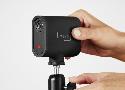
Mevo creates the world’s only live streaming cameras and dedicated iOS and Android Apps, enabling you to stream and record your live events in just a few taps. Our newest camera, the Mevo Start, empowers content creators to stream 1080p to multiple platforms like Youtube and Facebook Live.
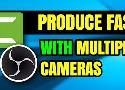
This video explains how to use three cameras in Camtasia. Scott explains how you can use OBS Studio Virtual Cam combined with Camtasia to edit videos. This Camtasia trick will allow you to product video faster because you will no longer have to upload and edit multiple video tracks. This tip will save you tons of time because you will have the power to switch cameras as you create you video tutorial.

if you're interested in making your iPhone or your Droid phone a wireless webcam, then you must install the NDI Phone App. Scott will help you connect this technology for both phone types. This video will explain how to use your phone as a webcam for both Droid and iPhone.h

Scott explains how to set up your phone and OBS Studio to use the NDI plugin. This tutorial will show you how to accomplish three primary tasks with your OBS installation.
-
The first part will show you how to find and install the OBS studio Newtek NDI plugin. All you have to do is go to the Blue OBS website and search for the NDI Plugin. Installation is very straight forward. From a PC user's perspective, always download the exe file. You will also be shown an installation warning you of overwriting files on OBS. Don't worry about the prompt and press forward. Nothing terrible will happen to your streaming software.
-
The second part of this NDI installation is downloading the phone app for both iPhone and Droid. The Newtek NDICam app is a straightforward installation, and it only costs $10. The software works perfectly. There are some warning flags with Droid, though. People say the software sucks, and so I suggest you install and work with the IP Webcam. The app is 100% free, and everyone in the comments loves the app. You can find the link here.
https://play.google.com/store/apps/de...
This link will take you to an OBS studio install video.
- The third and final part of this tutorial explains the settings for NDICam and OBS. Scott explains what the various parameters are on your iPhone and how to create a connection on OBS. For the most part, the setup is very easy.